

For Employers —
Live in 24–72 Hours
Don't rebuild
your career site.
Replace the form
with a conversation.
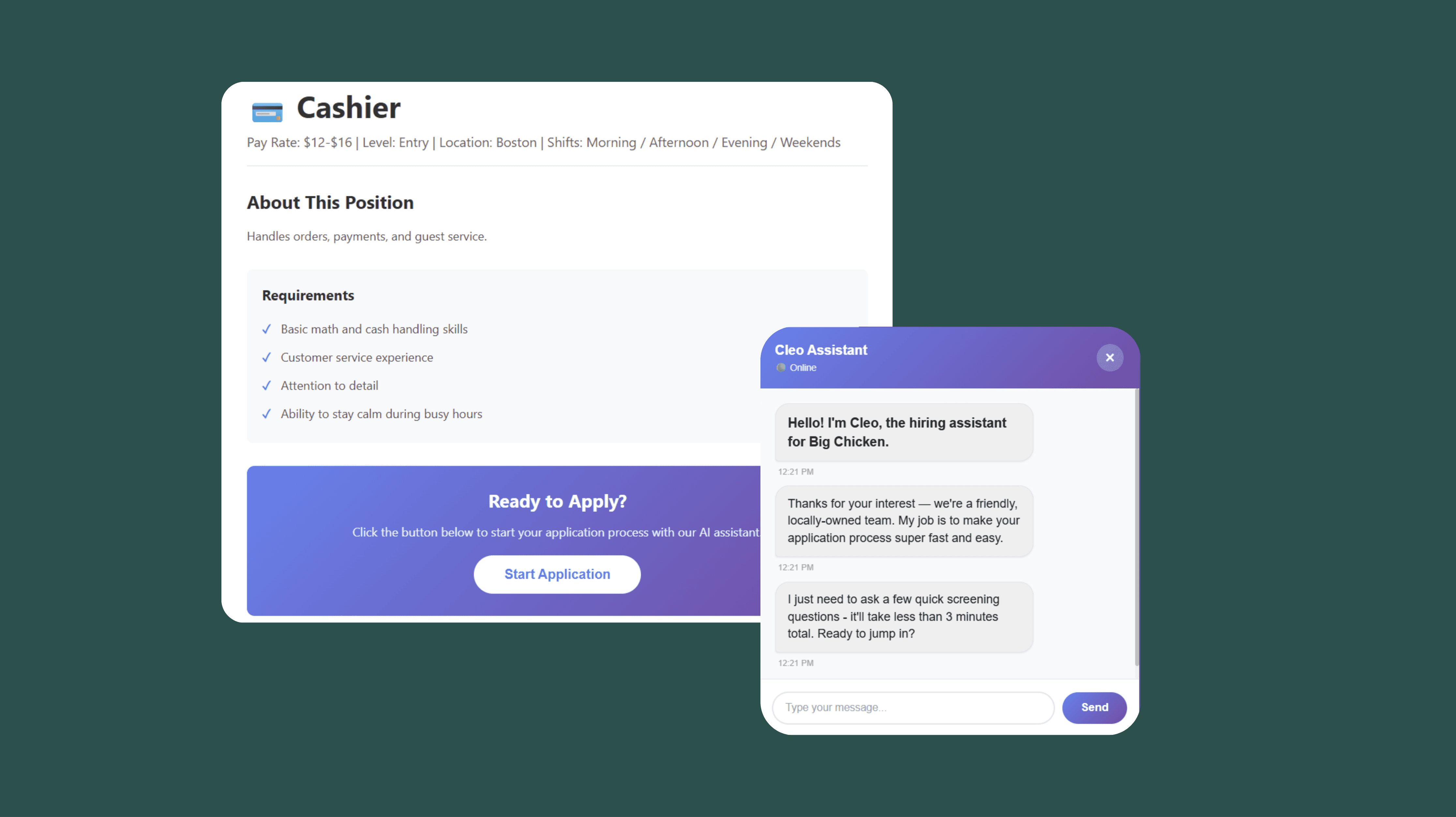
Cleo becomes the hiring front door — without touching your website, ATS, or branding. Candidates apply in 2 minutes. You get ranked, verified profiles instantly.


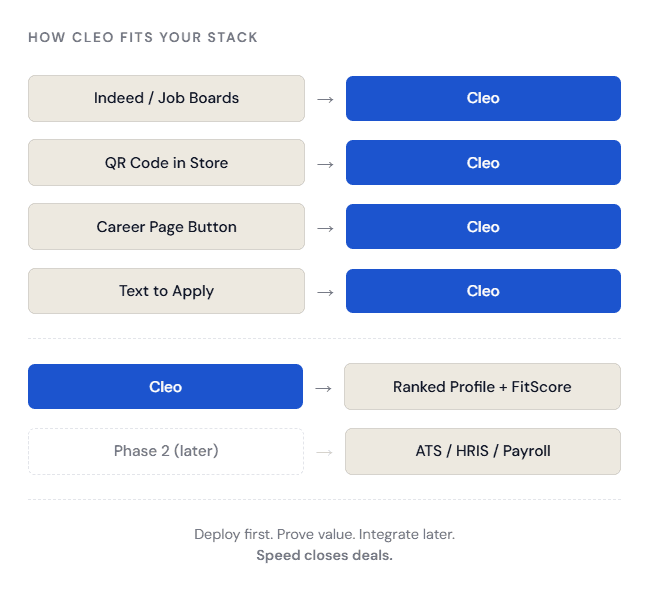
Integrations required to launch
Deployment Process
Live in five steps. No redesign required.
From kickoff to your first candidate arriving through Cleo, the entire setup happens in a single day.
1
Entry Points
Share your career page URL, open roles, locations, and job requirements. That's all we need.
2
Configure Intake
We set up role questions, hard stops, FitScore weights, and interview rules inside Cleo.
3
Add to Your Page
One button, an inline widget, or a link redirect. Your site stays exactly as-is.
4
Receive Candidate
Cleo sends ranked profiles and FitScores to your email or dashboard. Hire same day.
5
Turn On Traffic
Point Indeed, QR codes, and text-to-apply links to Cleo. Intercept your existing demand.
Three Ways to Go Live
Pick Your Entry Point
No matter how your career page is built, Cleo fits in 10 minutes or less.
Button Embed
Drop a single button on your career page that opens Cleo. Works on any website builder, ATS portal, or static site.
"Apply Now"
Inline Widget
A floating bubble appears bottom-right on your careers page. Candidates notice it without disrupting your layout.
cleo.app/widget.js
Replace the Apply Link
Swap "Apply in ATS" for a Cleo link. Candidates skip the long form entirely and enter through a conversation instead.
ats.com/apply/job-123





Testimonials
Employers who launched in 24 hours.



Get Cleo live on your career page this week.
Share four things with us. We do the rest. No integration, no redesign, no IT ticket required.
